Animated Winter Background 2D Asset Pack
A downloadable asset pack
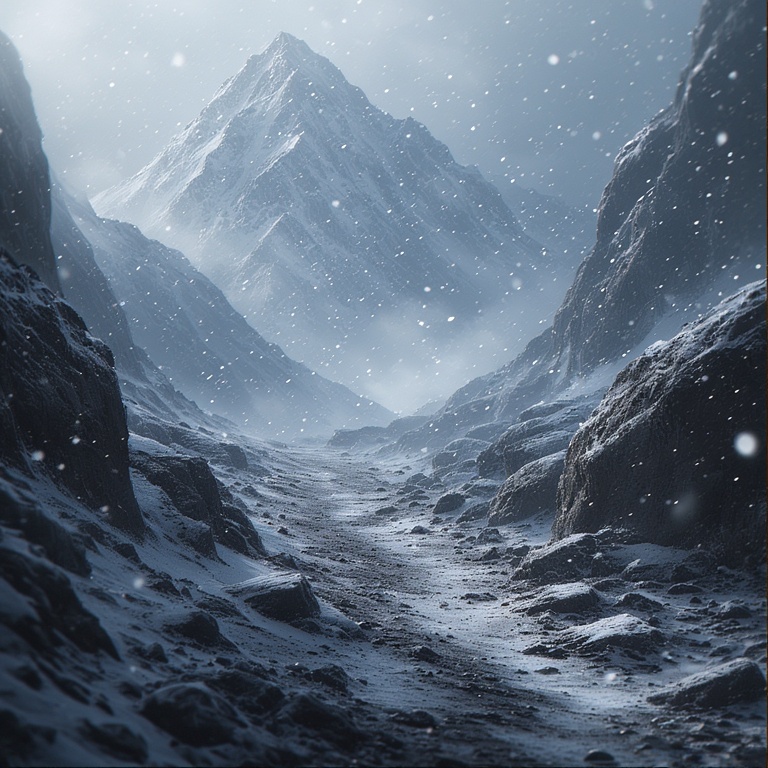
Within this asset pack you will find a few video image frames that you can add to your game project, using whatever animation feature provided by your game engine.
Each animated background will be in its own separate zip folder, where all its frames are located. In order to turn these sprite frames into an animated background, you must first unzip the file into a folder, then import the entire folder containing the animated background that you wish to use into your game engine. Then select each image frame as it appears in your file explorer from top to bottom when you wish to use them as an animated sprite. These frames were made with the Godot engine in mind, as that engine gives you the ability to import multiple images into a sprite node in order to animate them as one sprite.
If your game engine doesn't have the feature to import multiple files in order to turn them into an animated sprite, then this asset may not be for you, unless you're able to combine these files into one large sprite sheet yourself.
Below you will find a video of each background provided in the asset pack:
Snow 1 Asset:
Snow 2 Asset:
Snow 3 Asset:
Snow 4 Asset:
Snow 5 Asset:
Short Godot Tutorial:
I'm currently using Godot as my preferred game engine so I'll give you a short video below and a brief description of how to make these background images into an animated background for your project.
As seen above, in the Godot editor, you must first drag and drop the entire folder containing the background files that you prefer into the Godot engine. Then create an AnimatedSprite2D node. After creating that node, click on the node itself, then click on the "Empty" button next to the "Sprite Frames" words in the Inspector section on the right side of the screen. A drop down menu will then pop up with the words "Sprite Frames" included. Click on the "Sprite Frames" words that appears on the drop down menu. This will cause the word "Empty" that was previously there to change into the words "Spriteframes". Now click on the words "Spriteframes" and a menu will pop up on the lower section of your screen. Click on the small folder icon that pops up on the menu, and navigate to the folder in which the background frame files are found within the file explorer that pops up.
After entering the folder where all the images are located. Select all images in the folder then click on the "Open" button located at the bottom of the file explorer. You can then click the play button and also adjust the position of the background image on the screen of the Godot engine as you wish.
Thanks for your understanding. Enjoy your game development journey!
Download
Click download now to get access to the following files:
Leave a comment
Log in with itch.io to leave a comment.